
 Free Chrome extension
Swoopy fetches the images Chrome won't.
That Instagram post. That Pinterest pin. That logo hiding in the code. If it's on your screen, right-click and Swoopy brings it back: saved, copied, or broken down into colors you can use.
Why Swoopy
“Save image as” only works on plain images
Chrome's menu only appears when you right-click a simple image file. Most images on modern sites aren't that simple.
An Instagram post
A clear layer sits over the photo, so there's no "Save image as".
A Pinterest pin, shop gallery or hero banner
Shown as a page background, which Chrome doesn't treat as an image.
An icon or logo
Drawn in code (SVG), with nothing to save.
A chart, drawing or editor canvas
Painted on a canvas, not an image file.
A small or blurry preview
Chrome saves the size you see.
Pasting it into Figma, Slack or Docs
Only where Chrome offers "Copy image".
Real life, real saves
Moments where Swoopy just works
Six times you'd normally give up, take a blurry screenshot, or go digging in developer tools.
The 1 a.m. outfit find
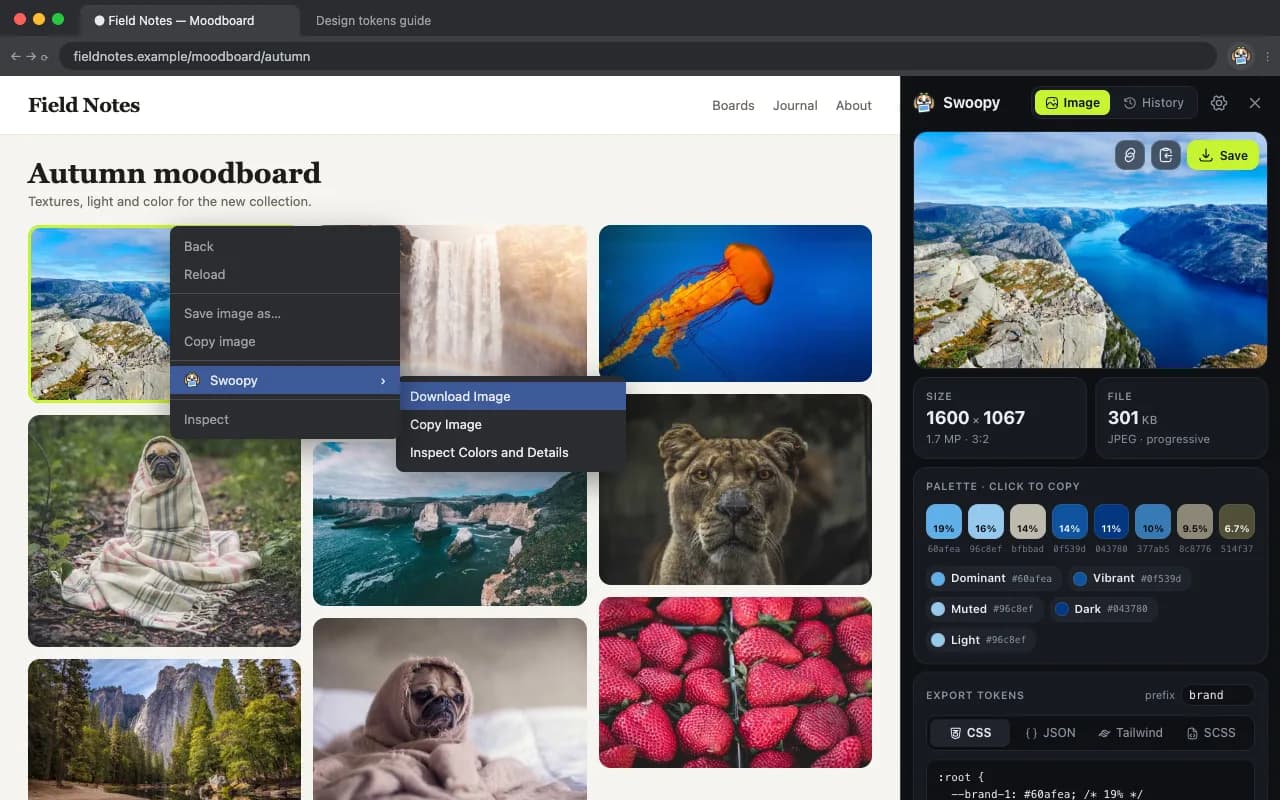
You're scrolling and spot the perfect reference. Right-click: no “Save image as”. With Swoopy it's Download Image, at full resolution. No screenshot, no cropped status bar.
A moodboard in minutes
Planning a room, a brand or a wedding? Pins, shop photos and banners are often backgrounds Chrome won't save. Swoopy fetches each one in a single right-click.
“Just use the logo from our site”
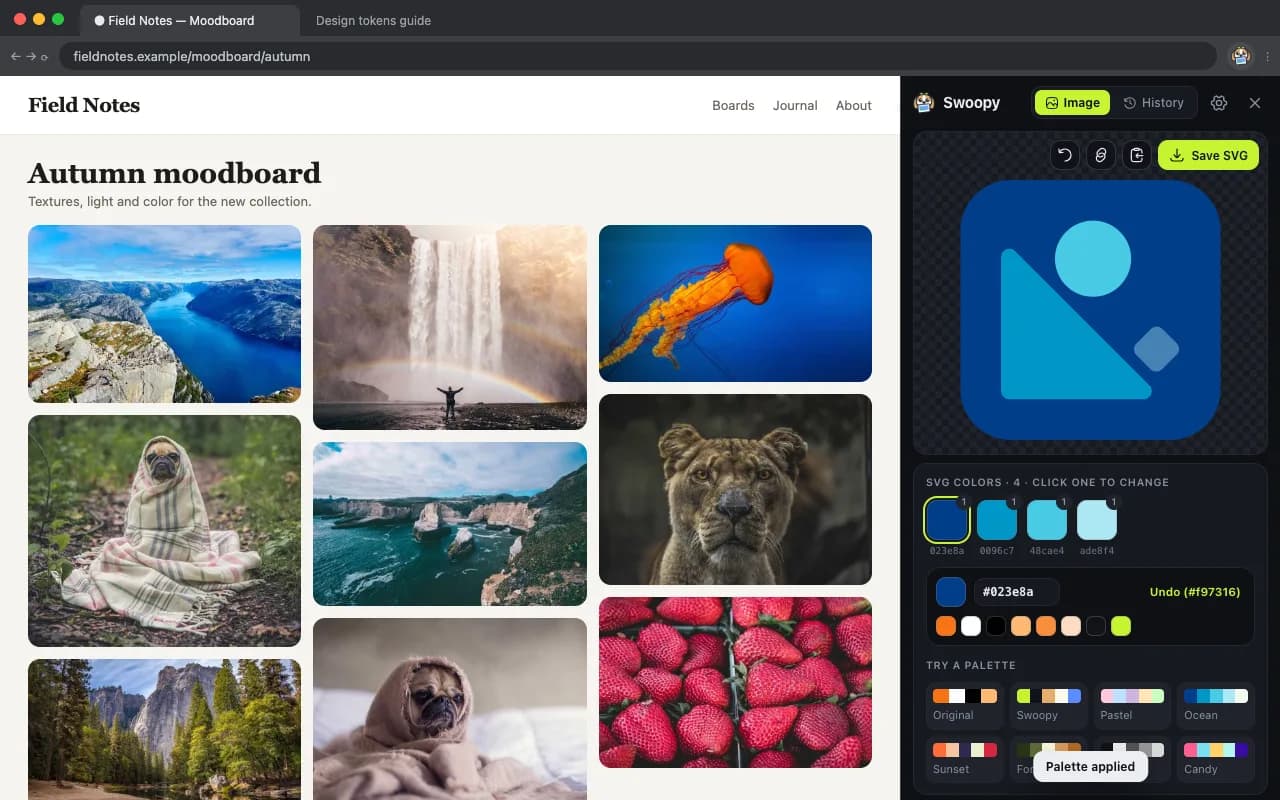
It's an inline SVG, so there's nothing to save. Swoopy hands you the .svg, a crisp PNG, or a ready React component.
That chart, in your doc
Dashboards paint charts on a canvas you can't copy. Copy Image, then paste it straight into Google Docs, Slides, Notion or Slack.
See the product up close
Store thumbnails are tiny. Swoopy grabs the sharpest version the site has, so you can zoom into the stitching before you buy.
“Those colors, but in my app”
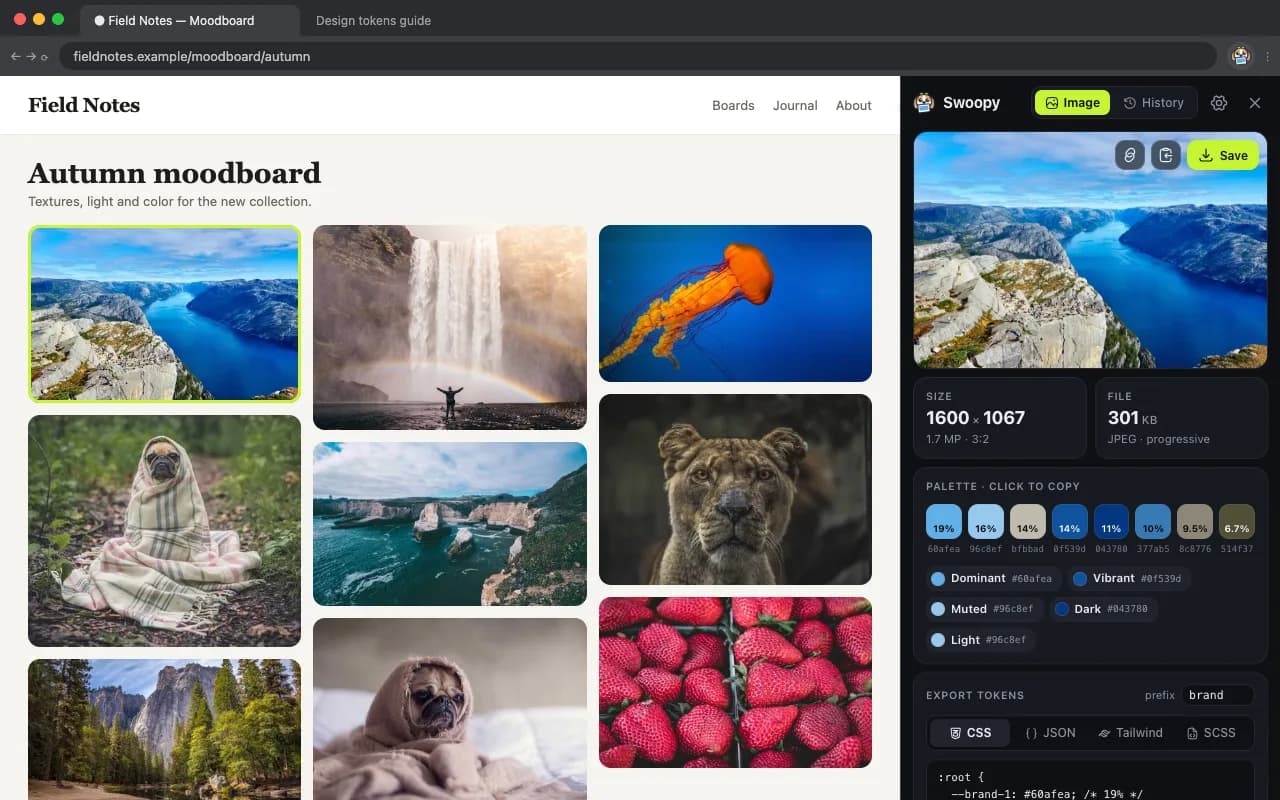
Love a photo's palette? Inspect it and copy the colors as Tailwind, CSS or JSON tokens, ready to paste into your project.
Swoopy saves what's already on your screen. You're responsible for how you use it: respect creators' rights and each site's rules (Terms). Swoopy isn't affiliated with Instagram, Pinterest or Google.
What else it does
And it's more than a download button
Every image is a color palette
See which colors make an image work, how much of each, and which text reads on top. Export them to CSS, JSON, Tailwind or SCSS in one click.
Make any icon yours
Recolor an SVG to your brand in seconds, try a palette, tweak the code, then export SVG, PNG, React or React Native.
Never lose a find
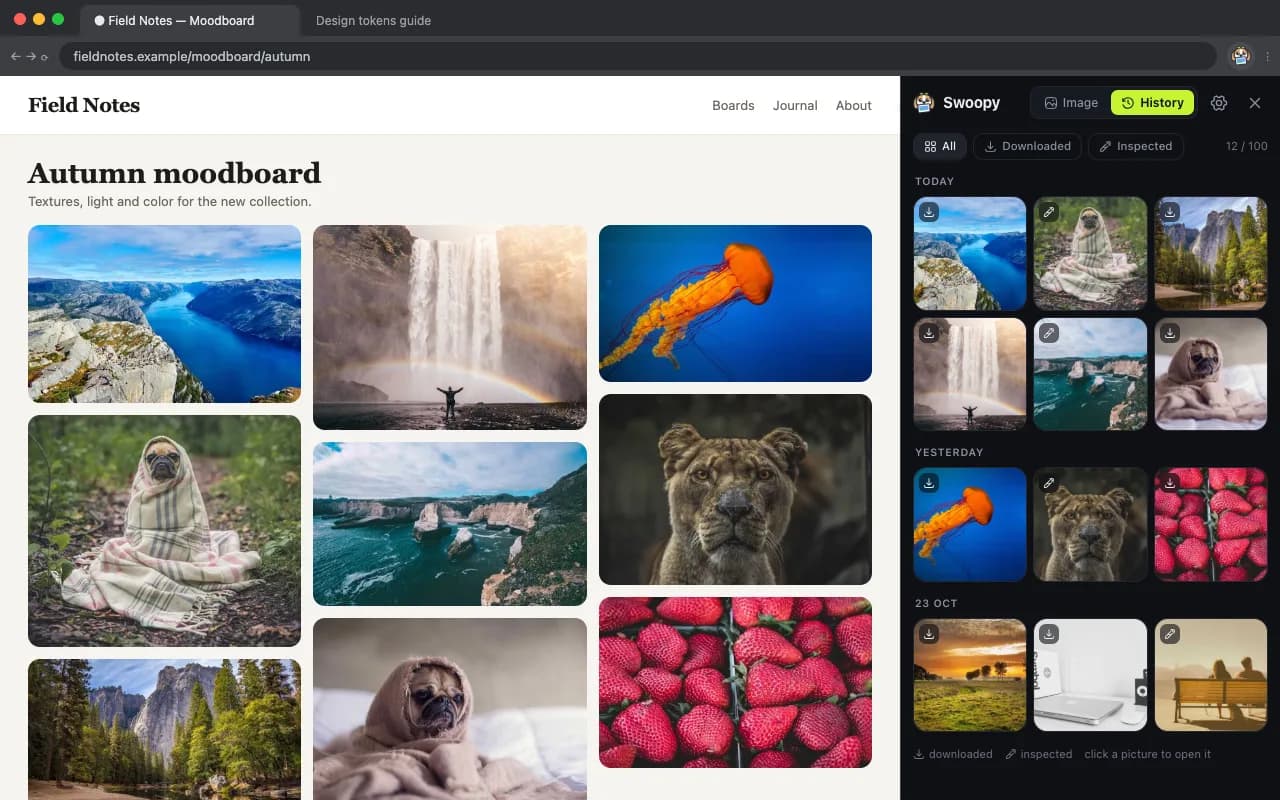
Your last 100 images, grouped by day and one click from downloading again. Kept only on your device.
Free, private, and a very good boy.
Everything runs in your browser: no account, no tracking, nothing uploaded. If Swoopy saves your day, you can buy me a coffee.
FAQ