
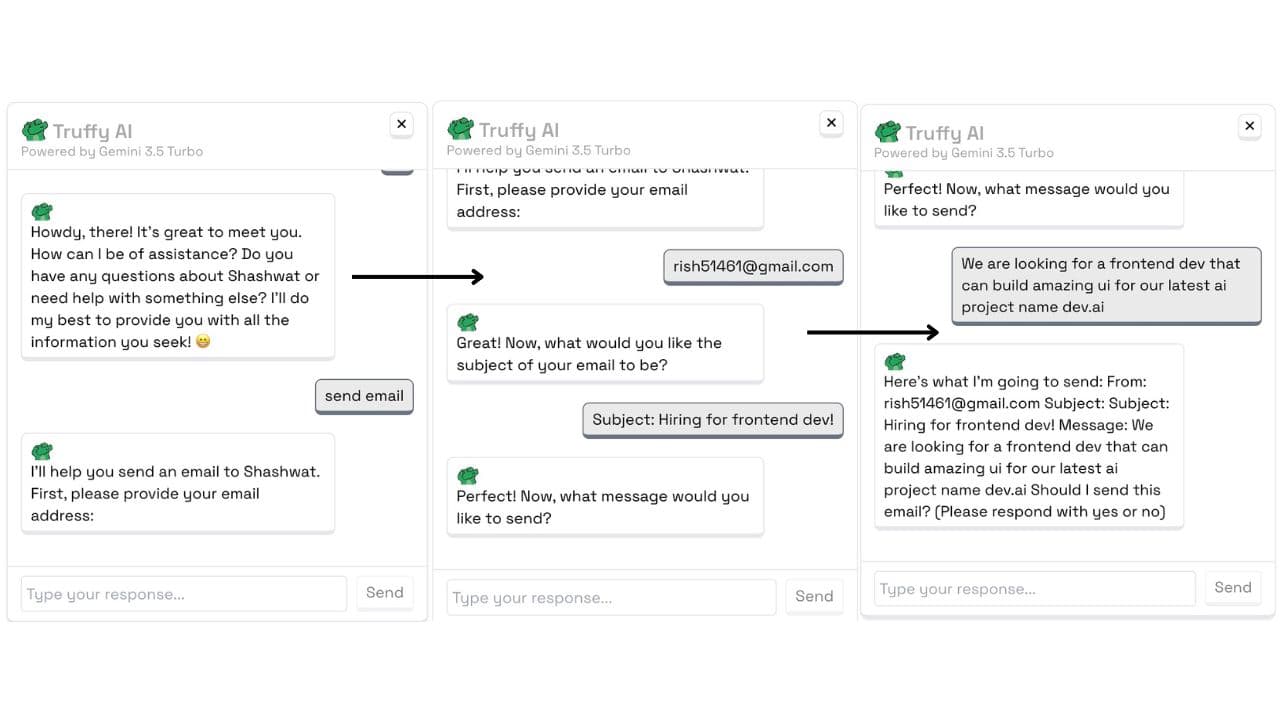
I put a chat assistant on this site that answers questions about my work. It can also send me an email on your behalf, which is where it stopped being a weekend toy.
A chat box that can send email is a spam relay wearing a friendly face. Anyone who can type into it can make my server deliver mail. This post is mostly about the parts that stop that happening.
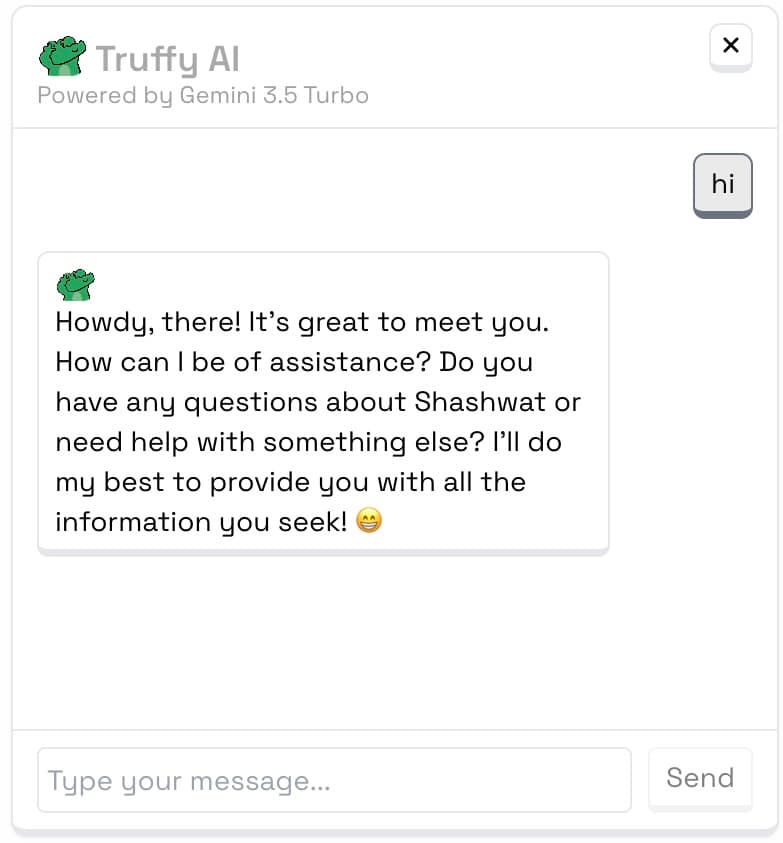
It runs on Next.js API routes, Google Gemini Pro, and NodeMailer, in TypeScript. Answers stream back token by token over Server-Sent Events, so you see the reply forming instead of watching a spinner.
You need basic familiarity with Next.js, TypeScript and API routes to follow the code here.
What happens when you type
Every message hits one API route, which first decides what you are asking for.
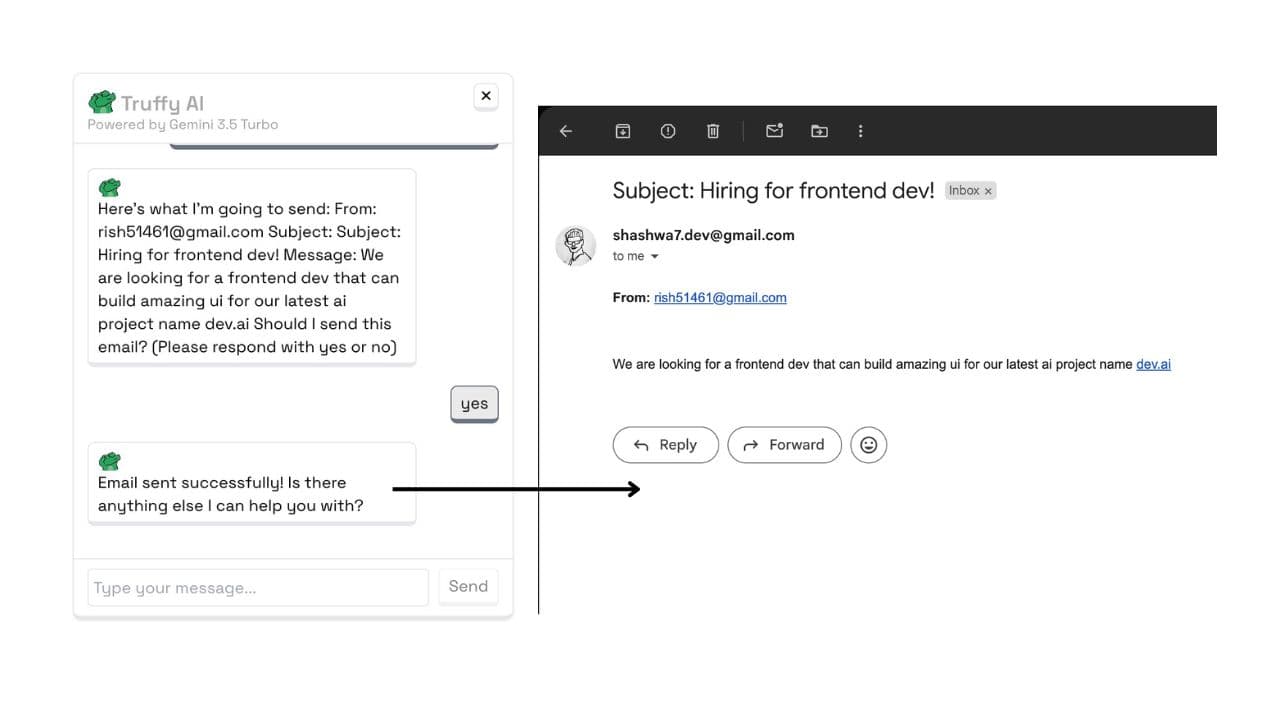
If it reads as a question, it goes to Gemini and streams back. If it reads as "email Shashwat," it enters a separate flow that collects an address, a subject and a message, checks all three, shows you a preview, and only then sends. Nothing leaves the server before you confirm.
The steps run in this order:
| Step | What it does |
|---|---|
| Detect | Recognises that you want to send an email rather than ask a question |
| Collect | Asks for your address, a subject and a message, one at a time |
| Validate | Checks each field before accepting it |
| Preview | Shows you exactly what will be sent |
| Rate check | Confirms you have not already used up the hour |
Collecting one field at a time was not the first design. Asking for everything at once produced messages with an empty subject and a body that said "hi", because people answer the last question they read.
Rate limiting
Three emails per hour, counted per sender and per session. Both, because either one alone is trivial to walk around: a fresh session gets a new bucket, and a fresh address does too.
const RATE_LIMIT = {
  MAX_EMAILS_PER_HOUR: 3,
  RESET_INTERVAL: 60 * 60 * 1000, // 1 hour in milliseconds
};

const checkRateLimit = (
  identifier: string,
  limitsMap: Map<string, { count: number; lastReset: number }>
): { allowed: boolean; timeRemaining?: number } => {
  const now = Date.now();
  const limit = limitsMap.get(identifier);

  if (!limit) {
    limitsMap.set(identifier, { count: 1, lastReset: now });
    return { allowed: true };
  }

  if (now - limit.lastReset >= RATE_LIMIT.RESET_INTERVAL) {
    limitsMap.set(identifier, { count: 1, lastReset: now });
    return { allowed: true };
  }

  if (limit.count >= RATE_LIMIT.MAX_EMAILS_PER_HOUR) {
    const timeRemaining = RATE_LIMIT.RESET_INTERVAL - (now - limit.lastReset);
    return { allowed: false, timeRemaining };
  }

  limit.count += 1;
  limitsMap.set(identifier, limit);
  return { allowed: true };
};
It returns timeRemaining rather than a bare refusal, so the assistant can say when you can try again instead of just saying no.
The counter lives in an in-memory Map, which resets on deploy and does not survive across instances. For a personal site that is the right trade. Anything with real traffic wants Redis or Upstash, or the limit becomes a suggestion.
Validating what gets sent
The mail goes out from my address. Anything the assistant accepts is something I am putting my name on, so the checks run before the preview, not after.
const validateEmailContent = (subject: string, body: string): boolean => {
  if (!subject || !body) return false;
  if (subject.length < 2 || body.length < 10) return false;

  const suspiciousPatterns = [
    /<script>/i,
    /javascript:/i,
    /onclick/i,
    /http:\/\/|https:\/\//i,
  ];

  return !suspiciousPatterns.some(
    (pattern) => pattern.test(subject) || pattern.test(body)
  );
};
Blocking every URL is blunt, and it does reject legitimate messages that just wanted to share a link. I kept it because the main reason a stranger sends automated mail is to get a link in front of someone. Take the links away and most of the incentive goes with them.
The length floors do more work than they look like they do. A body under ten characters is almost always a test, a probe, or someone bouncing off the interface.
Running your own
Set three environment variables in .env.local:
EMAIL_USER=your-email@gmail.com
EMAIL_APP_PASSWORD=your-app-specific-password
GOOGLE_AI_API_KEY=your-google-ai-api-key
EMAIL_APP_PASSWORD is an app-specific password, not your account password. Gmail will not accept the account password from NodeMailer, and generating an app password is the fix.
Then install the two dependencies:
npm install @google/generative-ai nodemailerPoint NodeMailer at your SMTP provider, initialise Gemini with the API key, and the rest is the flow above.
What I would tell someone building this
Rate limit before you ship, not after. The email endpoint is the only part of this project that can cost me money or reputation, and it is the part a bot finds first.
Stream the response. The same answer feels twice as fast when the words appear as they are generated, and it costs one API route change.
Ask for one thing at a time. The multi-step collection exists because the single-form version produced unusable messages, not because it looked nicer.
The complete code is in my portfolio repository, and the assistant is running in the corner of this site if you want to try talking to it.