This tutorial assumes basic familiarity with Next.js, TypeScript, and API routes.
Ever wondered how to create an AI assistant that can both chat intelligently and handle email communications securely? In this post, I'll walk you through how I built a smart AI assistant using Google's Gemini Pro that not only engages in natural conversations but also includes a rate-limited email service to prevent spam.
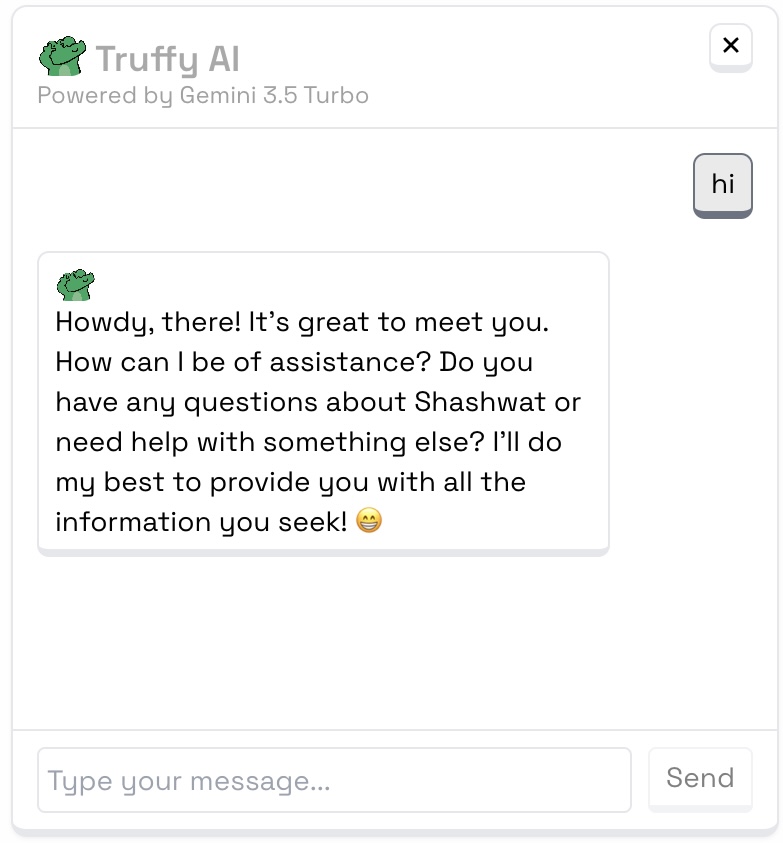
Key Features
- Intelligent conversations using Google's Gemini Pro
- Secure email handling with rate limiting
- Stream-based responses for real-time interactions
- Multi-step email collection process
- Built-in security measures and validation
Tech Stack
Our solution is built using Next.js API Routes, Google Gemini Pro, NodeMailer, TypeScript, and Server-Sent Events.
The Architecture
The assistant is built with a streaming-first approach, enabling real-time responses as the AI generates them. The flow goes from client request through Next.js API routes, where intent detection determines whether to process it as a chat (via Gemini Pro API) or email request (through the email flow with rate limiting).
Rate Limiting Implementation
One of the most crucial features is the rate-limiting system. It prevents spam by limiting to 3 emails per hour per sender and session.
const RATE_LIMIT = {
  MAX_EMAILS_PER_HOUR: 3,
  RESET_INTERVAL: 60 * 60 * 1000, // 1 hour in milliseconds
};

const checkRateLimit = (
  identifier: string,
  limitsMap: Map<string, { count: number; lastReset: number }>
): { allowed: boolean; timeRemaining?: number } => {
  const now = Date.now();
  const limit = limitsMap.get(identifier);

  if (!limit) {
    limitsMap.set(identifier, { count: 1, lastReset: now });
    return { allowed: true };
  }

  if (now - limit.lastReset >= RATE_LIMIT.RESET_INTERVAL) {
    limitsMap.set(identifier, { count: 1, lastReset: now });
    return { allowed: true };
  }

  if (limit.count >= RATE_LIMIT.MAX_EMAILS_PER_HOUR) {
    const timeRemaining = RATE_LIMIT.RESET_INTERVAL - (now - limit.lastReset);
    return { allowed: false, timeRemaining };
  }

  limit.count += 1;
  limitsMap.set(identifier, limit);
  return { allowed: true };
};
Smart Email Flow
The assistant implements a user-friendly, multi-step email collection process:
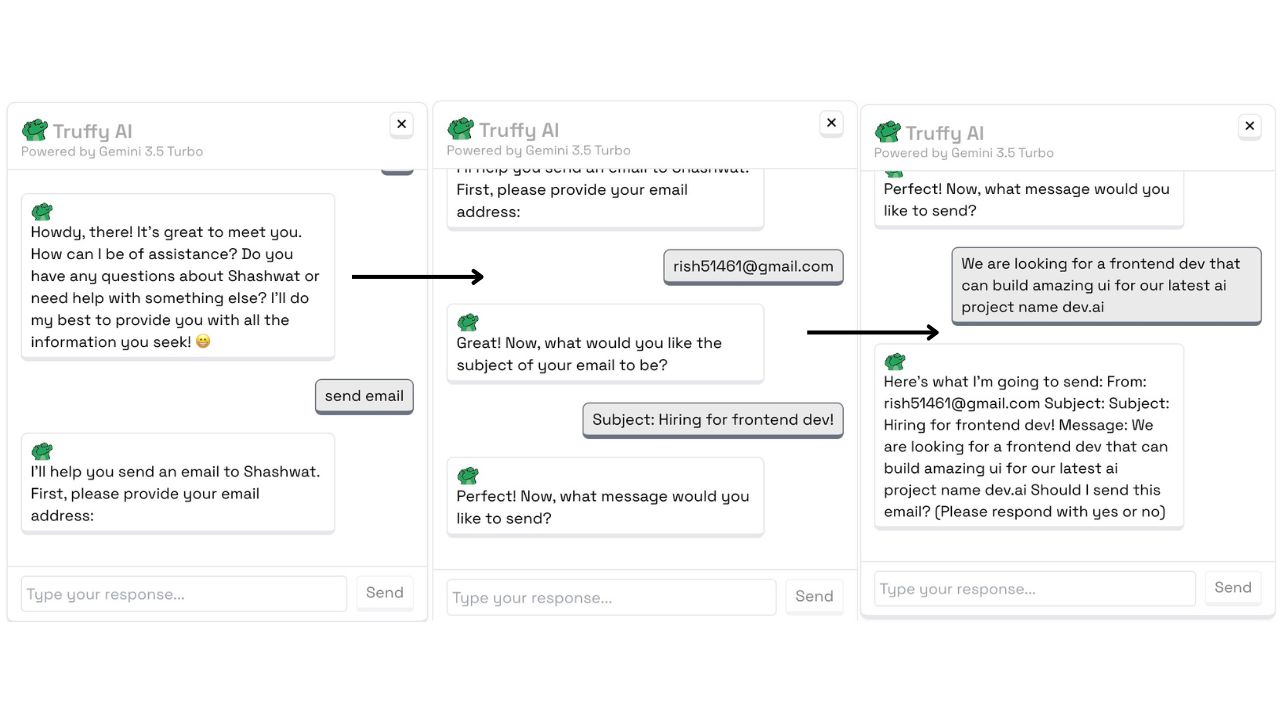
- Email Detection: Recognizes when users want to send an email
- Information Collection: Guides users through providing their email, subject, and message
- Validation: Ensures all inputs are valid and safe
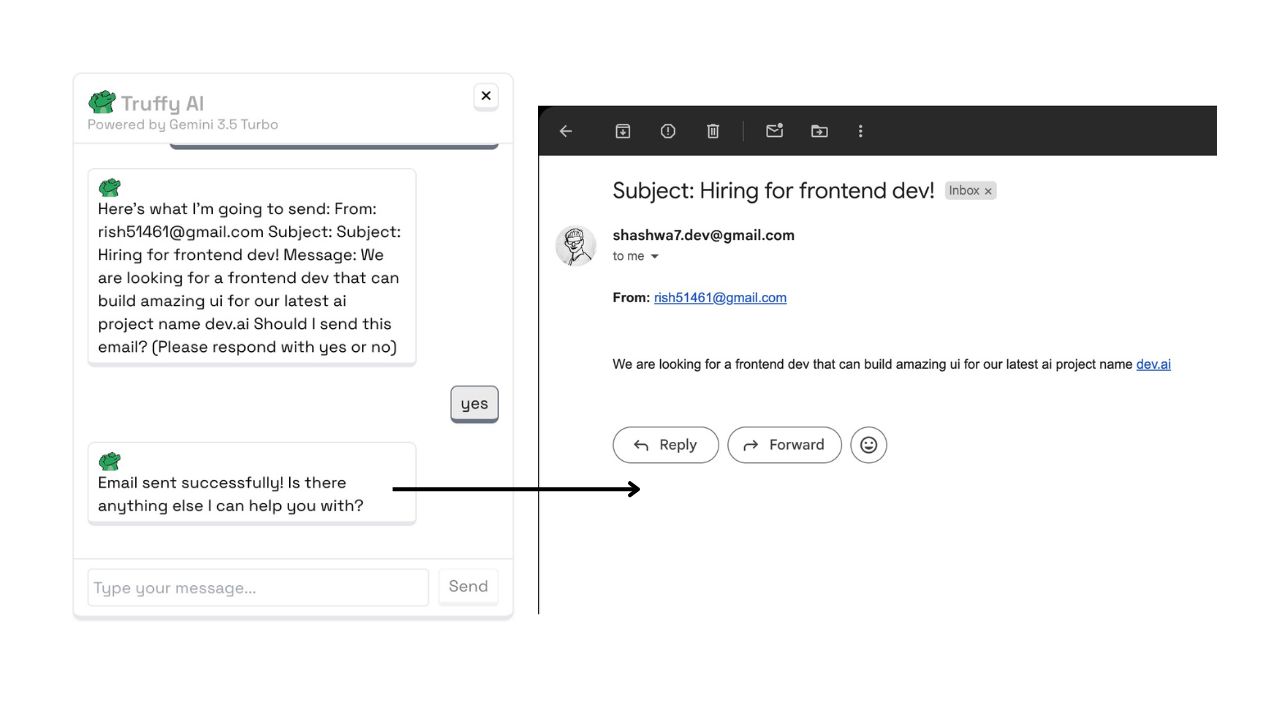
- Confirmation: Shows a preview and asks for confirmation before sending
- Rate Checking: Verifies rate limits before proceeding
Security Measures
Security is paramount in any application handling user communications. Here's how we ensure safety:
const validateEmailContent = (subject: string, body: string): boolean => {
  if (!subject || !body) return false;
  if (subject.length < 2 || body.length < 10) return false;

  const suspiciousPatterns = [
    /<script>/i,
    /javascript:/i,
    /onclick/i,
    /http:\/\/|https:\/\//i,
  ];

  return !suspiciousPatterns.some(
    (pattern) => pattern.test(subject) || pattern.test(body)
  );
};
Setting Up Your Own Instance
- Set up environment variables in
.env.local:
EMAIL_USER=your-email@gmail.com
EMAIL_APP_PASSWORD=your-app-specific-password
GOOGLE_AI_API_KEY=your-google-ai-api-key- Install dependencies:
npm install @google/generative-ai nodemailer- Configure the email service with your SMTP settings
- Initialize the AI model with your Google API key
Best Practices and Learnings
Implementing this AI assistant has taught us several valuable lessons:
- Always Rate Limit: Essential for preventing abuse and maintaining system stability
- Stream Responses: Providing real-time feedback creates a better user experience
- Validate Everything: Never trust user input and always implement thorough validation
- Clear Feedback: Keep users informed about the status of their actions
- Error Handling: Implement comprehensive error handling for better reliability
The complete code is available in my Portfolio repository. Feel free to check it out and create your own version!
Follow me on Twitter @shashwa7_ for more web development content and updates!